

- Andrea Ewing Callicutt
- Knowledge Base
Do you know how to get statistics for the count of titles duplicated? Cartridges circulated? How about splitting those out by books vs serials?
Dive into duplication statistics in this recorded webinar:
Notes:
Reports stay available on the server for 1 week. Make sure to save any that you want to refer back to later!
Circulation Report:
- Circulation Module - Reports - Circulation - Circulation Report
- Go-to report for pretty much anything: physical (tracked), consumables, downloads, duplication
- Tracked (physical) circulations include the duplication cartridges; to get the total for only books, use the range to exclude the cartridge (ex: DB-CART) record, or run again for only the cartridge and subtract that from the total tracked
- Tracked is an Item count (i.e. Braille volumes, not titles)
- Duplication is always a title count
- More info: Get to Know the Circulation Report
Circulation by Category:
- Pending further investigation as I spotted a potential issue with this serial during the webinar. Apologies for the inconvenience.
Cartridge Record:
- Catalog Module - Statistics tab for each cartridge record
- Inventory counts including # added in a period, # Lost, etc
- Cartridges used for one media then a different one will still show as Available in the original media as well as Avl or Out in the current media
Walk-in and hardware-specific statistics:
- Gutenberg has its own statistics interface (if I have understood correctly); we can also pull Walk-In statistics on request
- Scribe libraries can receive Walk-In statistics on request
- Detailed statistics interface coming soon to the Scribe WebMonitor
Dup Orders by Status Report:
- Patron Module - Reports - Statistics - Duplication Order Status
- All orders currently in select status(es) and/or all orders Created/Assigned/Duplicated/etc in a date range
- Totals coming, but until then, copy and paste to Excel
- =CountIf(range to check,value to match)
- Andrea Ewing Callicutt
- Knowledge Base
On Thursday, May 23rd, we held our most recent webinar focused on using KLAS to issue magazines on cartridge. During this session, Katy presented "Issuing MoC: Serials Module Demo / Q&A".
During this free, online training, Katy discussed serial records including: main, captions, issues, eDocs, and retention, shared options for settings, showed how to review your Serials orders, and answered questions about the MoC Transition.
One correction from Katy:
I realized after the webinar: you actually can use the Digital Serials main status to stop MOC orders from going out.
- The Cir Status will stop the Serial Reserves from being made, so there is nothing for KLAS to send.
- The main Medium status will stop Duplication Orders from being created or assigned, so the Serial Reserves can't get to the patron.
As such, either of the settings (or both) can be used to hold someone's magazines.
I apologize for the confusion--I'm so used to the Cir Status only affecting serials, and serials only obeying the Cir Status, that I didn't think about the orders themselves.
Caption Reference:
Please see the Check your Serials forum post for a list of serial records we've found to be commonly missing or in need of an updated caption. Need help or have questions? Let us know!
Want more to review?
During the webinar, Jill Rothstein shared this list of NY1A's Serials.
If you are using this list to update your serials, I do want to note:
- It includes all media, including Braille, Large Print, and Cassette (all remaining C serials can be treated as discontinued; the others may still be active Dir but will not be affected by the MoC transition)
- Pay attention to Serial Type. Only Dir / Direct serials are affected by the MoC transition
- Choice Magazine is truly BARD Only, and not eligible for duplication
Thanks for sharing, Jill!

- Andrea Ewing Callicutt
- Knowledge Base
Below are the recordings, presentations, and other resources shared in the instructional resource / materials center (IRC / IMC) track of the 2024 KLAS Users' Mini-Conference.
Note: You must be logged in to view / access content.

- Andrea Ewing Callicutt
- Knowledge Base
Below are the recordings, presentations, and other resources shared in the library for the blind and print disabled track of the 2024 KLAS Users' Mini-Conference.
Note: You must be logged in to view / access content.
- Andrea Ewing Callicutt
- Knowledge Base
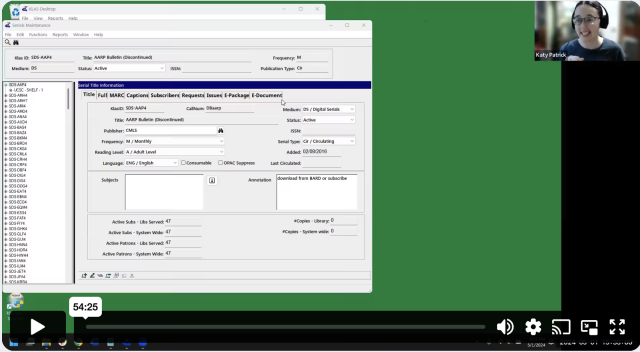
On May 1, 2025 we got together and talked magazines on cartridge (MoC)! We shared the current status and coming improvements, answered questions, and did our best to start you out on the right foot. As usual, this session was recorded for those who can't join us live.
- What: Issuing Magazines on Cartridge (MoC) Webinar
- Presenter: Katy Patrick,Technical Writer, Keystone Systems
5/1/24 Issuing Magazines on Cartridge (MoC) Webinar Part 2
5/1/24 Issuing Magazines on Cartridge (MoC) Webinar Part 1
Query to find BARD Only Patrons with Active Subscriptions
Here's the query Erin, AZ, requested during the webinar to find BARD Only patrons with active subscriptions:
Quick Search-
- Main Status | Equals | a
Advanced Search-
- Media | Pat Medium | Equals | db
- Media | ServeCode | Equals | bard [or "ob" or whatever code is used for "BARD only" patrons]
- Subscription | KLAS ID | [see below]
- Subscription | End Date | Is Blank
For the subscription IDs, either use "In" and a comma-separated list of all MoC Serials
OR
use "Not In" and a list of the most common non-MoC serials, ex: SER-TBT2,SER-TBT4,SER-TBN2,SER-TBN9,SER-DDB9,SER-NWL8,SER-CAW1,SER-CAP1,SER-VET9,SER-CAL2
This query is not perfect, but it should give you a reasonable list of BARD-only patrons with active subscriptions (which may or may not be MoC serials) for you to review.
Bear in mind that these patrons have been receiving MoC Direct serials despite their BARD Only status, and may want to continue receiving them.
- Katy Patrick
- Knowledge Base
NLS is interested in tracking cartridge availability and use system-wide, and may be contacting you for some statistics.
Duplication Cartridge Use
The cartridge use statistics NLS is requesting are:
- Number of unique cartridges that have been put into circulation to date
- Number of cartridges currently checked out to patrons
- Number of cartridges marked lost
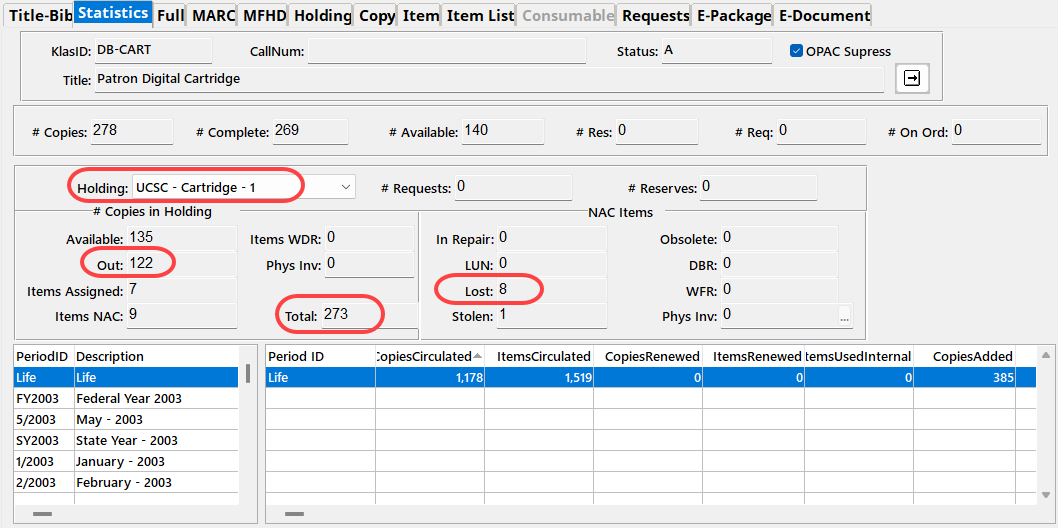
The easiest way to retrieve those numbers in KLAS is to check the catalog records for your cartridges: DB-CART, BR-CART (if duplicating braille), and any other duplication media, such as DS-CART.
For each cartridge record, check the Statistics tab, and set the Holding to your branch.
- "Unique cartridges that have been put into circulation to date" is your combined Total cartridge counts.
- "Cartridges currently checked out to patrons" is your combined Out cartridge counts.
- "Cartridges marked lost" is the combined NAC - Lost count.
Single-Title Cartridge Inventory
To get the current number of pre-recorded, one-title per cartridge items still in your system, you will need to run the Holding Summary Report twice.
- In the Catalog module, select Reports - Holding Summary.
- Select your Library ID, set Rec Type to Monograph, and Run the report.
- Note the #Items Available for DB.
- Add Begin KLAS ID: DB-CART and End KLAS ID: DB-CART, and Run the report again.
- Subtract the Available DB-CART count from the total Available Monograph count to get the number of available cartridges in your system (that are not DB-CARTs).
If you need assistance or have questions about any of these statistics, please let us know!
- Andrea Ewing Callicutt
- Knowledge Base
During this session, Katy Patrick discussed features and functionality in KLAS, including machine management and duplication workflows, as well as tips & tricks to help KLAS libraries prepare for and / or better manage their e-Braille Circulation.
The recording from 3/14/2024 is now available:
- Andrea Ewing Callicutt
- Knowledge Base
This free, online session was held via Zoom on February 15 at 3 PM Eastern / Noon Pacific.
Recording
References
- Font customization: Adjust Font Size in KLAS
- Katy Patrick
- Knowledge Base
The following MARC records have had diacritic marks or other issues corrected. Please upload these files in place of the NLS version.
For more information on uploading MARC Records, see Are Your Records Up-To-Date? on the forums.
Note: You must be logged in to view and download these files.
Latest Updates
Additional December files were uploaded 12/23/2024.
The November/December TBT Query Set was uploaded on 11/15/2024.
Please log in to download content. Thank you!
- Andrea Ewing Callicutt
- Knowledge Base
Volunteers makeup an important part of the Library for the Blind & Print Disabled (LBPD) / Talking Book Library community and contribute greatly to their success. Each library utilizes volunteers uniquely; from shelving and circulation to readers advisory to recording content. Join the KLAS program committee for a presentation from a few of our outstanding network libraries discussing how they train and deploy their volunteers, and how they use KLAS to support and manage them.
This free, online session was held via Zoom on January 11th at 3 PM Eastern / Noon Pacific.
Recording
Downloads
- Katy Patrick
- Knowledge Base
Below is the recording for our November 2023 KLAS Q&A with Katy webinar.
References:
- Katy Patrick
- Knowledge Base
Below is the recording for our October 2023 KLAS Users' Meeting at the APH Annual Conference.
Slide deck: KLAS IRC Users at APH2023 - pptx
References:

- Katy Patrick
- Knowledge Base
Do you have questions about equipment or patron transfers in KLAS or just feel a little uncertain? Not sure how PIMMS factors into the equation, or what to do if a patron is transferring out of the country?
The new KLAS Transfers Manual aims to answer those questions and more!
Like the Reader Advisors Manual and the Front Desk Manual, this document was designed for easy reference both in print and digitally. We also made every effort to insure this document is accessible for AT users, though the AT Reference Guide may still be helpful in providing additional screen context and description.
A few tips for using this manual:
- If printing, I recommend printing the first page single-sided, and the rest of the document double-sided for the best formatting.
- If annotating the file to add local policies, consider using Word's comments feature which will maintain the pagination, plus make your comments stand out for easy identification.
- If using the manual in Word, turn on an interactive index by selecting the View ribbon, then marking the Navigation Pane checkbox. In the document itself, Ctrl-Click any section or page reference to jump to that section (including from the Table of Contents).
- If using the manual in a PDF reader, the interactive index and hyperlinked references should be available by default (depending on the program used).
I hope this manual will prove helpful for all your patron and equipment transfers!
Last Updated 08/01/2025
Please log in to view available downloads. Thank you!
Did I miss something? Let me know!
- Katy Patrick
- Knowledge Base
While the KLAS UI is fixed in size and shape, the font face, size, and boldness can be adjusted using an ini file. To use the example text file, rename it from user.txt to user.ini and save it in the location indicated in the instructions (you will need to create the folder and subfolder).
If you have difficulty modifying your fonts, or need any additional assistance in making KLAS meet your access needs, please contact Keystone Customer Support at or using the Support button on this page.
Please log in to download content. Thank you!
- Katy Patrick
- Knowledge Base
We're so happy that we got to see many of you in person again at this year's NLS Regional Conferences!
The slide deck used in each of the regional meetings is now available for download:
We hope to continue the conversation, and see you all again soon.
- Katy Patrick
- Knowledge Base
Are you looking forward to circulating electronic braille for your patrons? Curious about braille Duplication but not sure where to start?
On April 13, James Gleason, Deputy Director, Perkins Library, and Katy Patrick, Technical Writer, Keystone Systems, discussed some cleanup you may want to work on, settings to check on or think about, and the setup Keystone can do for you.
Below are the slide deck in PowerPoint and PDF format, chat transcript, and webinar recording:
- Katy Patrick
- Knowledge Base
The release list for 7.8.33 was uploaded March 27, 2026.
Please log in to download content. Thank you!
- Katy Patrick
- Knowledge Base
After release of the Front Desk Service Manual, of course we started discussing a Reader Advisor's version.
This manual is not meant to cover every screen or function in KLAS, and the Intro to KLAS Manual will still be maintained for a more in-depth, screen-by-screen approach. Instead, this manual aims to cover some of the most common workflows and tasks for Reader Advisors, as well as providing a reference for some common terms and functions used throughout KLAS.
We've put a lot of thought and discussion into what to cover, as well as what not to cover. Each topic should be something that is likely to be permitted for even newer RAs, at least somewhat consistent across libraries, and reasonable to explain in only a page or two. For example, we considered a How to Add a New Patron section, but that process is so heavily dependent on individual library policies that we decided to omit it. However, most of the component tasks of setting up a new patron, such as adding Preferences and a Service Queue, are covered.
We have made every effort to make the document accessible for AT users, though the AT Reference Guide may still be helpful to provide additional screen context and description. We also now provide an AT-specific version of the manual which is text-only. Both versions include keyboard command and menu options in the instructions, but the AT version omits references to toolbar buttons.
A few tips for using this manual:
- If annotating the file to add local policies, consider using Word's comments feature which will maintain the pagination, plus make your comments stand out for easy identification.
- If using the manual in Word, turn on an interactive index by selecting the View ribbon, then marking the Navigation Pane checkbox. In the document itself Ctrl-Click any section or page reference to jump to that section.
- If using the manual in a PDF reader, the interactive index and hyperlinked references should be available by default (depending on the program used).
I hope this will be a helpful document for training new staff, or for existing users to fill in some gaps!
Last Updated 2/17/2026
Please log in to download the manual. Thank you!
- Katy Patrick
- Knowledge Base
Below is the recording for our October 2022 KLAS Users' Meeting at the APH Annual Conference.
Slide deck: KLAS IRC Users at APH2022 - pptx
- Katy Patrick
- Knowledge Base
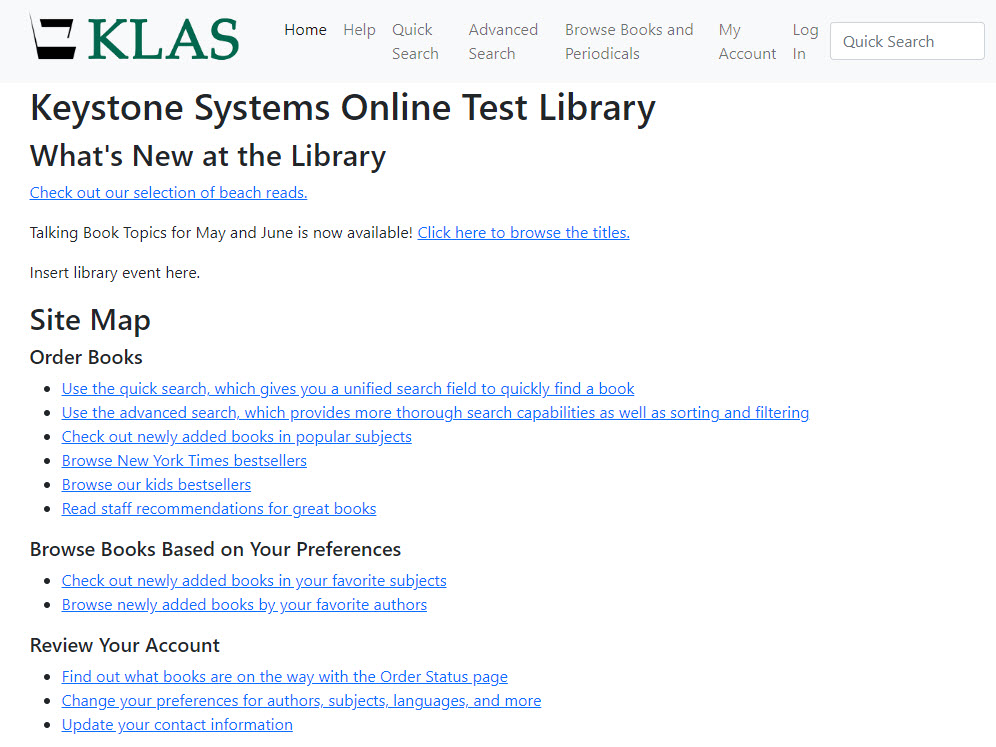
Below is the recording from our September 22, 2022 Keystone-presented webinar on the WebOPAC Revamp.
Description: You've probably heard the good news about an upcoming revamp of the WebOPAC for LBPH. Ready for more info and a first look at our prototype? Take a look at what we have so far and provide feedback to help shape the future OPAC!
Presenter: Katy Patrick, Keystone Systems
Chat Transcript: 09-22-2022_WebOPAC_Revamp_Chat.txt
- Andrea Ewing Callicutt
- Knowledge Base
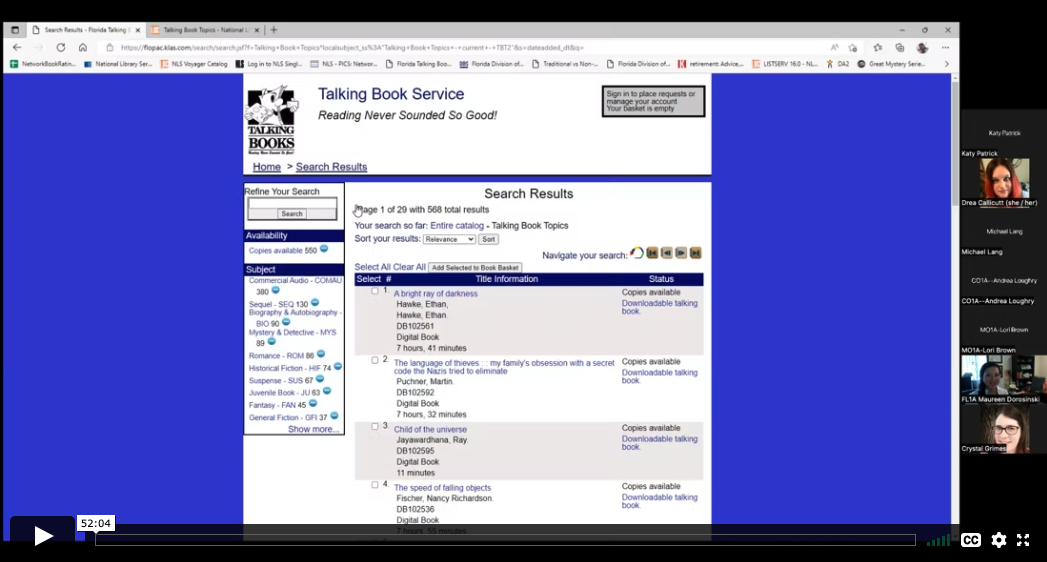
Below is the recording from our August 25, 2022 KLAS LBPD Users' Roundtable on Talking Book Topics.
Description: With the recent loss of the physical Large Print Talking Book Topics from our Reader Advisory Tool Box, libraries are crafting new strategies to keep readers informed about new titles being added to the collection. Our August roundtable explored how other libraries are addressing these changes and share your own successes in addressing the changes with TBT.
Host: Michael Lang, Kansas Talking Books Service
Panelists:
- Maureen Dorosinki, Florida Braille & Talking Book Libraries
- Crystal Grimes, Oregon Talking Book & Braille Library
Chat Transcript: 08-25-2022_KLAS_Roundtable_Chat.txt
