- Andrea Callicutt
- News
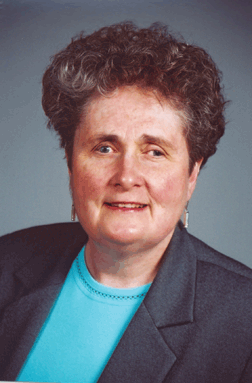
The Julie Klauber Award Committee and Keystone Systems are excited to announce Nancy Reese, Idaho Commission for Libraries, Talking Books Service, as our 2018 Julie Klauber Award Honoree. Congratulations Nancy! Your dedicated service to your patrons, staff, and community are an example of leadership and make you an incredible asset to your library. We look forward to honoring you and your work at the 2018 KLAS Users' Conference in Boise! On Tuesday, May 8, Nancy will be presented with the award during the Opening General Session of the conference. An official press release will be published prior to the conference on www.klas.com.
Sue Walker, Library Consultant, Idaho Commission for Libraries, Talking Books Service, nominated Nancy. This is the nomination Sue submitted:
Reason for Nomination
Nancy has been the KLAS administrator for almost ten years. During that time she has helped to implement several new KLAS services such as DOD and the PIMMS transition. Most recently, she was instrumental in implementing the most recent iteration of Patron Centric Cartridge (PCC) that allows staff to assign multiple titles to users' cartridges remotely. Nancy worked intensively with Keystone staff to troubleshoot the software and with staff to train them to successfully use it. As a result, Idaho is one of the few libraries who are using this version of PCC. During the summer of 2017, three of Idaho's four Reader's Advisors retired. Nancy provided training to the new staff as well as ongoing support to maintain quality customer service during the transition period. She routinely provides reader's advisory as a backup to staff. Nancy has been an active member of the KLAS conference planning committee and readily shares her knowledge at annual conferences and individually as requested. Recognizing the importance of having the conference available regionally Nancy advocated to host the conference in Boise for several years and is working on the logistics committee to make the 2018 conference a success.
Effect on Library
Quality customer service is one of the Idaho Talking Book Service’s highest priorities. As a result, remaining on the cutting edge of technology that will improve user access to resources is very important. Nancy’s willingness to learn the capabilities of new technology and work to successfully implement it ensures Idaho residents’ access to resources will increase. In addition, helping Keystone successfully pilot new technology in one library makes it easier to implement in other libraries.
Job Responsibilities
As the KLAS administrator, Nancy works daily with KLAS to troubleshoot any issues, train staff, maintain quality customer service, and access to resources.
- Katy Patrick
- News
For KLAS-to-KLAS patron transfers, a patron’s reading history (HasHads or HHs) automatically transfer with the rest of the record. Thanks to PIMMS, more and more libraries will be able to automatically transfer records, even if one of the libraries uses WebReads or another system. Eventually, even BARD HHs will be automatically imported into the system right away.
In the meantime, however, at least some out-of-system patron transfers will come with a paper or .pdf list of HHs to enter manually, and BARD HHs are only created when the BARD Circulation Stats are manually uploaded. So: should you spend valuable staff time adding these HHs?
Here’s some information to help you make that choice:
How to do it
For transfer patrons: In the Patron Module, open the patron record in question, then press Alt + H on your keyboard or use the menu to select Functions > Items > Add Has Had.
In the Add Has Had window, you will be able to enter KLAS IDs exactly as you do in Quick Requests.
For BARD downloads: Use the Administration page in BARD to download the statistics for your branch for each month. You will need to save the .cscv files; do not open them, as this will re-format the information and keep it from loading properly.
In the Patron Module, use the menu to select Tools > Load BARD Circs. Browse to find the saved stats file, and either Load Now or select Load via Batch Manager. Depending on the size of the file, it may take a while to load.
For help addressing BARD load errors, once the batch has loaded, use Export – Load Errors and save the file. Send it to Ks7 and we will help you identify patron errors and load missing catalog records.
What does it affect?
Nightly Autoselect: For most libraries, the Nightly processes are set up not to re-send HasHads based on author or subject. Generally, your patrons should only receive books they have had before if they specifically request them.
Series: If a patron requests a series, KLAS will prompt you to ask whether HHs in that series should be sent again or if they patron wants to pick up right where they’ve left off previously. If the HHs are on file, it puts this choice right in the patron’s hands (or in the hands of the contact person or RA helping them). If they were never added, the patron will receive “repeat” books whether they wanted them or not.
Book Search: When RAs use Book Search, the results page lists any exclusions the patron has against that title, including HHs. Again, having this information on-screen empowers your RAs and your Patrons.
Request List: If a patron downloads a title from BARD after it was added to their request list, KLAS will automatically remove the request or reserve. This is great for patrons who request a book, then change their minds and download it instead, or for patron who have a series preference, but download the latest book before your library gets a hardcopy.
The Bottom Line
HasHads are an important part of the Patron record and having an accurate history for a patron improves service.
It does take time to enter this information, especially if you are far behind on your BARD stats or if a patron comes in with an extensive reading history. That said, having full and accurate HasHad records improves automatic picks, provides valuable information to your RAs, and helps answer patron questions (What was that book I read three years ago? I think the love interest was a doctor. . . )
So, chime in: Do you enter all of your HasHads? What about just recent HasHads, that are otherwise more likely to be assigned by Nightly?
Has leaving them off ever caused trouble for you?
Head over to the Entering HasHads forum thread and let us know!
- Katy Patrick
- News
Hey Instructional Resource Centers: Do you keep on top of your Temp Titles?
WebOrder has the ability to create a Temp Title, allowing requestors to quickly add items to a Material Request even though it is not in your catalog. However, users may sometimes add Temp Titles for items that already have a record, or for items you are not able to provide.
We recommend that you routinely review the Temp Titles attached to incoming Material Requests. The attached document has a suggested workflow for doing so.
You'll note that it refers to a saved query. If you don't know about saved queries yet, get in touch--they're a great feature! Already know about saved queries and just need a little help setting up this one? We can do that, too.
Have a look through the How-To and email or call Ks7 if you need help.
Then, sound off on the Managing Temp Titles thread: how do you handle your Temp Titles?
Process Overview:
- Open the Material Requests module and query for Temp Title lines.
- Open the Temporary Title Maintenance tool from the Catalogue Module, and FIND the Temp Title using the ID from the Material Request.
- Check for existing records for the requested item or an equivalent version.
- For any titles that you want to add to your regular catalog or merge with an existing record, click the MAKE PERM button.
-
- If applicable, enter the existing KLAS ID and check the Merge option.
- If it is a new record, select the Record Type and Medium Code.
- Complete the Title Record in the Catalogue.
- For any titles that you cannot provide, update the KLAS ID prefix to reflect that.
- Advance the Material Request line as appropriate.
Full Instructions:
Please be sure to login to download content. Thanks
Have a look through the How-To and email or call Ks7 if you need help.
Then, sound off on the Managing Temp Titles thread: how do you handle your Temp Titles?
- Katy Patrick
- News
A couple weeks ago, we took a look at the WebOrder Help page, so this week I’m putting the WebOPAC Browse page in the spotlight.
Anything that you can search for in the catalog can be listed on the Browse page as a pre-defined search, and while the Recent and Popular titles are a good start, there are a lot more options! These pre-defined searches can help patrons who aren’t sure what to search for or where to start, draw attention to lesser-used parts of your catalog, or host a “Staff Picks” search—allowing your reader advisors to easily share their favorite reads.
The Browse page is a great way to help your patrons any time day or night, without them needing to call for suggestions.
So have a look, and don’t forget to visit the WebOPAC Browse forum thread to share what your library uses, ask questions, or show off your OPAC!
A few pre-defined searches to consider:
- All Large Print Titles by Author
- All Print/Braille Titles
- Book Club Picks
- Described Videos and DVDs
- Local Recordings
- Newbery Award Winners
- Popular Nonfiction
- SHELF Titles
- Staff Picks
- Uncontracted Braille
- Young Adult Titles
If there’s something you want to see on your Browse page, email ks7 and let us know what to add, what order the different searches should appear in, and specifically what items should be included (such as DBs only, Adult Reading Level, or only recent titles).
- Andrea Callicutt
- News
Keystone Systems and the 2018 Julie Klauber Award Committee are pleased to announce the two finalists for this year's Julie Klauber Award:
- Janie Stanley, North Carolina Library for the Blind and Physically Handicapped
- Nancy Reese, Idaho Commission for Libraries, Talking Book Service
Congratulations to of each of you! You are a valuable asset to your library and your community. Also, thank you to everyone who took the time to submit a nomination.
The recipient of the 2018 Julie Klauber Award will be announced in the near future.
- Andrea Callicutt
- News
Ramona Walhof, Author and Advocate
Ramona Walhof’s life journey has been a full and varied one.
She grew up in Iowa during the 1950's when there was no regional library for the blind. In 1960 the regional library opened at the Iowa Commission for the Blind and quickly became the largest in the nation. She majored in Russian and minored in French at Georgetown University and later received a certificate in education from Boise State University.
Ramona worked in rehab from 1972-1984 and then went into business from 1984 through 2007. Employment included teaching Braille, sewing, and managing food service operations, including a bakery.
Civic activities include president of National Federation of the Blind Idaho for over a decade, beginning Idaho’s BELL (Braille Enrichment for Literacy and Learning) program, serving on the United Way of Boise Board, and travelling to many states speaking about challenges for the blind and advocating for blind services, especially the National Library Service. A true advocate for Braille, Ramona has written articles and books, including editing The Power of Love, How Kenneth Jernigan Changed the World for the Blind, a compilation of articles by those who knew and worked with Kenneth Jernigan.
Ramona is trying to slow down in order to spend more time with her children and four grandchildren and of course, reading.
- Katy Patrick
- News
Have you updated your WebOrder Help page lately?
When we set up WebOrder for an Instructional Resource / Materials Center, we also create a Help page with a Frequently Asked Questions (FAQ) section and room for downloadable documents (such as a How-To). However, it’s easy for the information on this page to fall out of date as changes are made to your WebOrder setup. Plus, we usually don’t know what questions your users are asking!
You can contact Keystone anytime to request updates to your help page, and I will be happy to put them in for you. In addition to adding and / or updating FAQs, we can also host any documents you want to add to the Help page as downloads. Users must be logged in to access the page, so this may be a good way for you to share forms, tutorials, or other information with them.
Below is a list of questions for which we already have answers.
Have a look through, review your Help page, and then email ks7 or visit the WebOrder Help Page forum thread to let us know what you need added to your WebOrder FAQ!
Ready-to-Go FAQs
You can certainly request questions not on this list, or request updates/customizations to any answer, but these are fast, ready-to-go additions I can quickly drop into your FAQ:
- How do I change my password?
- How do I add a new student?
- How do I add an Order?
- How do I search the Catalog?
- I can't find the product I am looking for. How can I add it to my request?
- It's hard to tell my addresses apart. They all say Primary or School Address. How do I change an address description?
- What does a specific Action Code mean?
- How can I tell which Braille Code an item uses?
What questions are we missing? Is there anything else you’d like to see on your WebOrder Help page? Have you written any instructions for your users that you want to share?
Head over to the WebOrder Help Page forum thread to join the discussion.
And finally, don’t forget to call us or email ks7 to request changes to your Help page!
- Andrea Callicutt
- News
You have heard Keystone staff say it before, and you'll likely hear us say it again.
"It is the KLAS Users' Conference."
Today, I want to take the opportunity to recognize those users who have already contributed greatly to the logistical and programming for the 2018 KLAS Users' Conference. This conference is based on feedback and suggestions we receive from your survey responses, ideas brought up during conference calls, what you request and what you are willing to present and coordinate.
Thank you to those who have attended, will be attending, have sent us your thoughts and ideas, and who have stepped up to moderate a Birds-of-a-Feather discussion, present a general session, or help put together attendee welcome packets.
But, most especially, thank you to the Logistics and Program Committees and the KLAS Users' Group Officers. You participate in conference calls, send emails, give me honest feedback, and help shape the conference for each attendee, presenter, and member of the Keystone staff. This is my note of appreciation for all of your time and effort. You are wonderful to work with, and I could not do my job without each of you. Thank you.
KLAS Users' Group Officers:
- Craig Hayward, KLAS Users' Group President, North Carolina Library for the Blind and Physically Handicapped
- Chandra Thornton, KLAS Users' Group Vice President, Palm Beach County Library System Talking Books Library
- Erin Pawlus, KLAS Users' Group Secretary, Arizona Braille and Talking Book Library
2018 KLAS Users' Conference Logistics Committee:
- Craig Hayward, KLAS Users' Group President & Logistics Committee Chair, North Carolina Library for the Blind and Physically Handicapped
- Nancy Reese, KLAS UC 2018 Host, Idaho Commission for Libraries Talking Book Library
- Pat Herndon, KLAS UC 2017 Host, Georgia Library for Accessible Statewide Services
- Edith Gavino, KLAS UC 2016 Host, Braille Institute Library Services
- Andrew Shockley, KLAS UC 2015 Host, Oklahoma Library for the Blind and Physically Handicapped
- Debbie Martin, Brevard County Talking Books Library
- John Mugford, New Mexico Library for the Blind and Physically Handicapped
- Sarah Smedley, Palm Beach County Talking Books Library
2018 KLAS Users' Conference Program Committee:
- Chandra Thornton, Program Committee Chair, Palm Beach County Library System Talking Books Library
- Sue Walker, KLAS UC 2018 Host, Idaho Commission for Libraries Talking Book Service
- Erin Pawlus, Arizona Braille and Talking Book Library
- Teneka Williams, KLAS UC 2017 Host, Georgia Library for Accessible Statewide Services
- James Gleason, KLAS UC 2014 Host, Perkins Library
- Cyndi Hammonds, California Department of Education
- Amy Ravenholt, Washington Talking Book and Braille Library Katy Patrick, Keystone Systems
If you have the opportunity, please take a minute to express your gratitude to these people for their contributions.
- Katy Patrick
- News
Welcome to the Key Notes blog, where we will be bringing you weekly posts on conference planning, happenings at Keystone, or how better to put KLAS to work for you!
We’re kicking things off with a discussion on putting patrons “On Hold.” KLAS offers a number of different ways to halt or pause service to a patron, including:
- Main Status types
- Media Status types
- Blocks
Each of these options works a little differently, offers different benefits, and may work better for some situations than for others. Bear in mind—NONE of these will affect a patron’s BARD account, as there is currently no direct communication between KLAS and the NLS BARD servers.
Are there situations where you like to use one method over another?
How do you like to document the reasons or end dates for patron holds?
Do you have questions or need some help navigating the best workflow for a particular situation?
Review your options below, then visit the Patron Holds forum thread and join the discussion!
Options for putting patrons "On Hold"
Each library or system will develop their own standard procedures. This information is only intended to help you understand your options and to suggest possibilities.
1. Patron Main Status:
Change this status to ensure that nothing goes out to a patron until / unless the status is changed back to ACTIVE, and to facilitate the process of removing inactive records after a reasonable period.
- The lifecycle of a patron record should generally be:
ACTIVE > SUSPENDED > WITHDRAWN > DELETED - INACTIVE should not be used for the Patron Main Status.
- Once a patron is marked WITHDRAWN, all materials checked out to the patron are marked Lost (including equipment).
2. Patron Profile and Media Status:
Change one or more Patron Media Status to stop materials in that medium from going out to the patron, and / or update the Cir Status and Dir Status to stop magazines in that medium.
- Set the desired media to INACTIVE to block materials from being sent. The status can be set back to ACTIVE at any time to resume service.
- Dir Status is the status for Direct Magazines—magazines circulated by NLS directly to patrons. Update the subscriptions for these magazines from the Subscriptions tab so information can be sent through PIMMS.
- Cir Status is the status for Circulating Magazines. Update the status here to block magazines circulated by your library.
- Other profile adjustments can be made to the NSCutoff, Next Serve Date, or ServeCode, depending on the exact results you want.
3. Blocks:
Create a block to stop both books and circulating magazines from being sent from your library. Set an expiration date to make the block temporary without needing to go back and manually reverse changes to a patron’s account.
- Is not communicated to NLS and does not affect Direct Magazines.
- Some libraries allow new types of blocks to be created directly in the tab, or you can create a standard “Hold” block type to be used as-needed.
Read this “QuickTip” Tutorial for more information and instructions for each option:
Please be sure to login to download content. Thanks
Join the discussion in the Patron Holds forum thread!