As NLS makes sure that the "I"s are dotted and...
As NLS makes sure that the "I"s are dotted and the "T"s are crossed on all the open collection acknowledgements, here's a run-down of all the required fields:
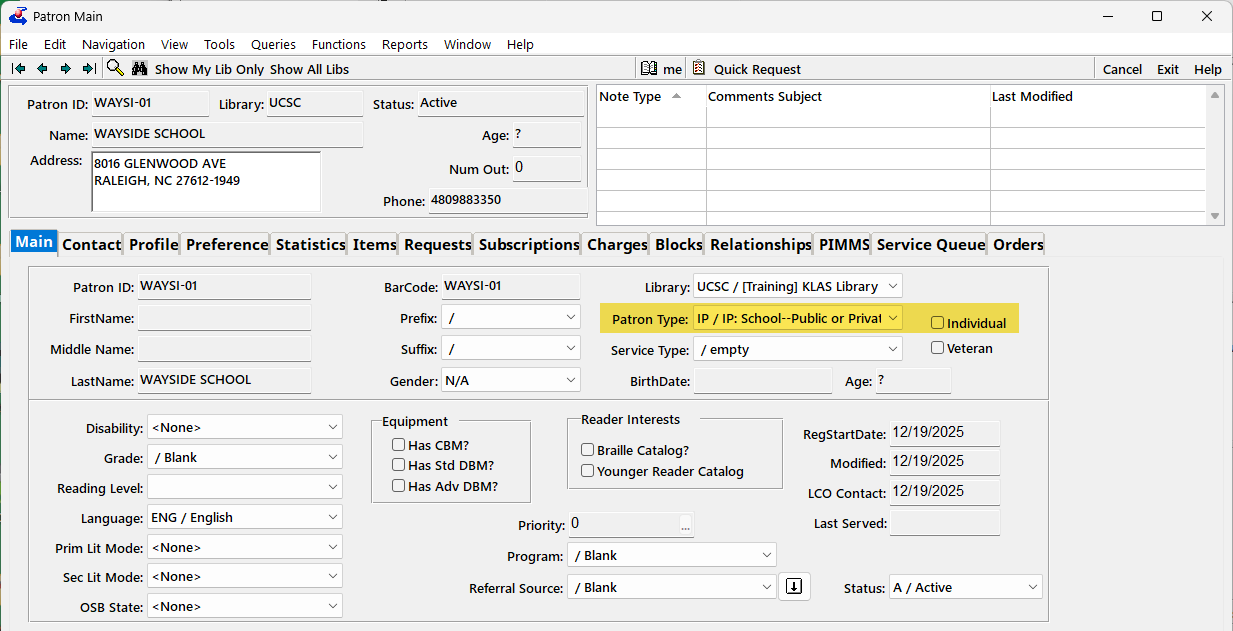
1. Patron Main
On the Main tab, the relevant Patron Types are:
- IP or IS for Institutions (make sure that Individual checkbox is blank)
- For juveniles, any patron type that begins with P will be checked for for the age (make sure that Individual checkbox is marked)
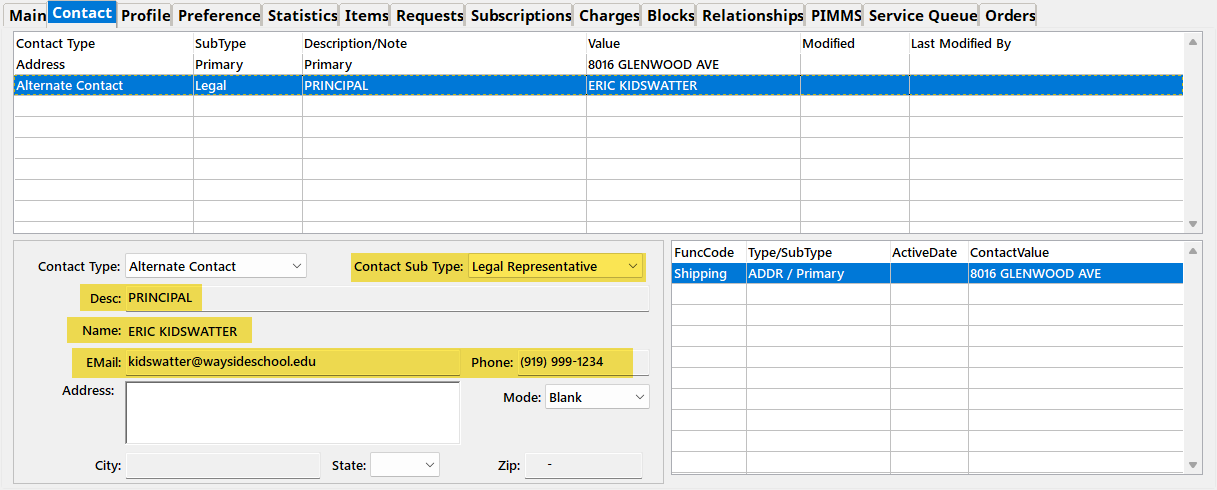
2. Contact tab
On the Contact tab, make sure the Alt Contact is present and complete:
- Legal for Institutions
- Parent or Guardian for juveniles
- Title in Description field for Institutions
- Full Name for either
- Phone and email for Institutions (corrected 2/17/26. Phone and email are optional for juveniles.)
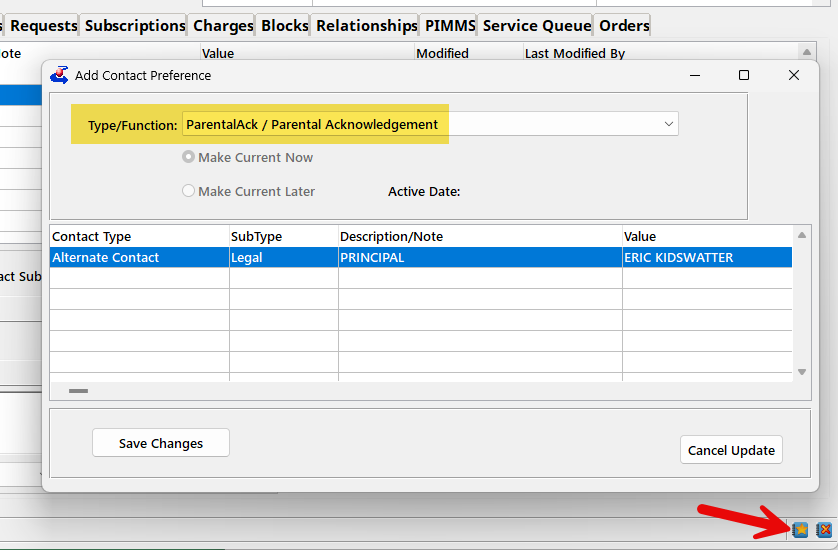
2b. Contact Preference
If there is more than one Alt Contact of a relevant SubType (such as two Parents on a juvenile's account), you need to specify which one to sync to NLS as having provided the Acknowledgement Answer.
Do this by setting a Contact Preference for the ParentalAck.
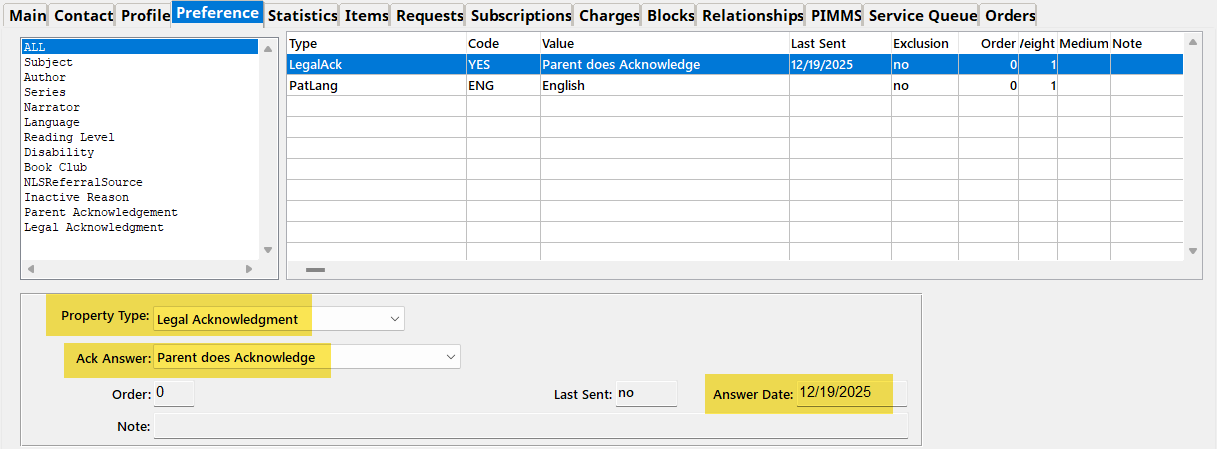
Finally, you need the Property record (aka Preference) recording the Answer and the Answer Date.
- For Institutions, the Property Type is Legal Acknowledgement
- For Juveniles, the Property Type is Parental Acknowledgement
- Either way, the answers are likely worded as "Parent Does Acknowledge" etc.
- Include the Date Answered
Questions & PIMMS Error Report
If you aren't sure why an account is included in NLS' list of non-compliant records and/or in your PIMMS Error Report, please check each of the above fields, and let customer support know the Patron ID if you still need help! If the record was in your Error Report, please include the text of the error as well.